How to add new staff users to SOCS
Step 1
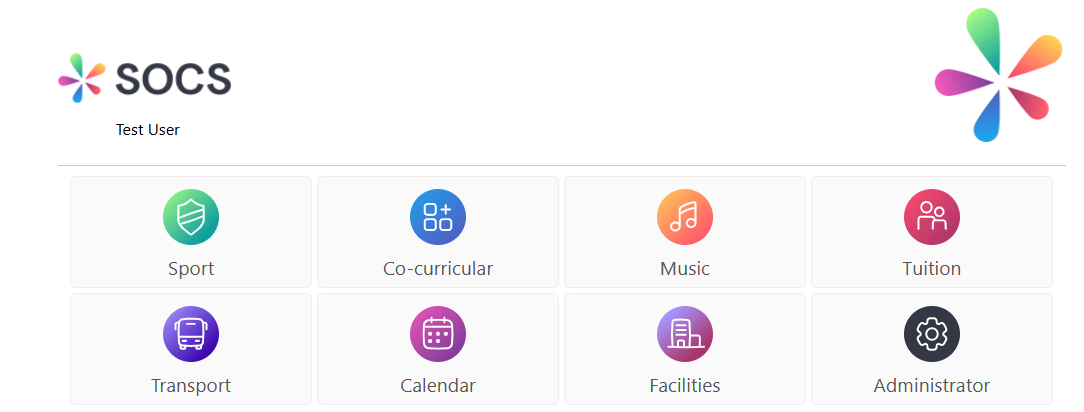
Login to SOCS and select SOCS Administrator
Step 2
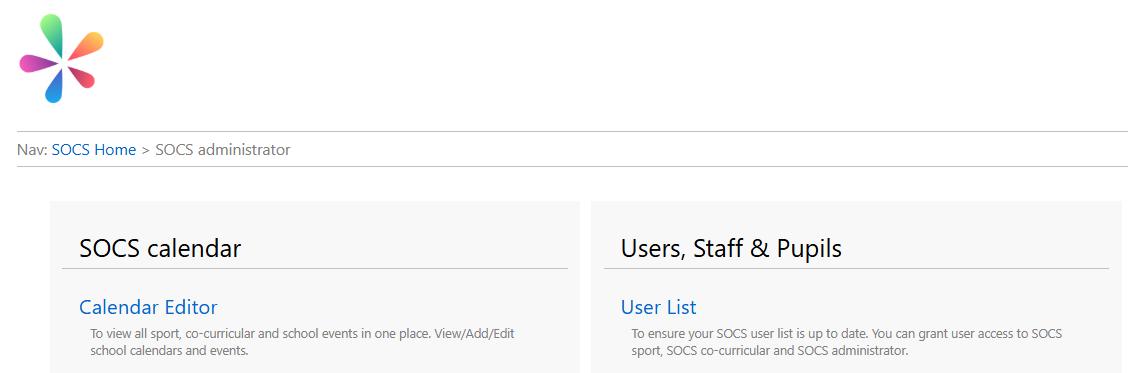
Select 'User List'
Step 3
Select 'Add a New User'
Step 4
Select the user from the 'Staff Member' drop down list. This is syncing from your MIS staff list so you can connect the user account to the staff record
Step 5
Complete all fields, including the level of access required for each module
Step 6
Click 'Save'
How to edit existing user accounts
Step 1
Login to SOCS and select SOCS Administrator
Step 2
Select 'User List'
Step 3
Click 'Edit' next to the user you wish to edit
Step 4
Update the required fields and click 'Save'
Was this article helpful?
That’s Great!
Thank you for your feedback
Sorry! We couldn't be helpful
Thank you for your feedback
Feedback sent
We appreciate your effort and will try to fix the article