SOCS users can access the live iCal feed by following the steps below.
The iCal feed will include your music/tuition lessons, sport fixtures and co-curricular clubs.
Step 1
Login to SOCS
Step 2
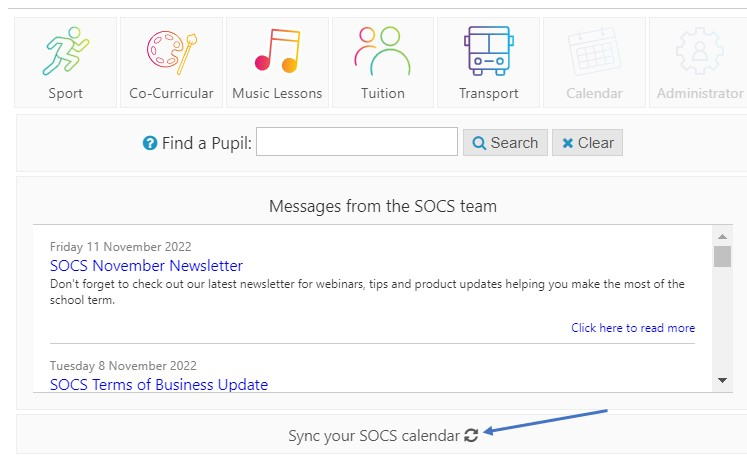
Select 'Sync your SOCS calendar'
Step 3
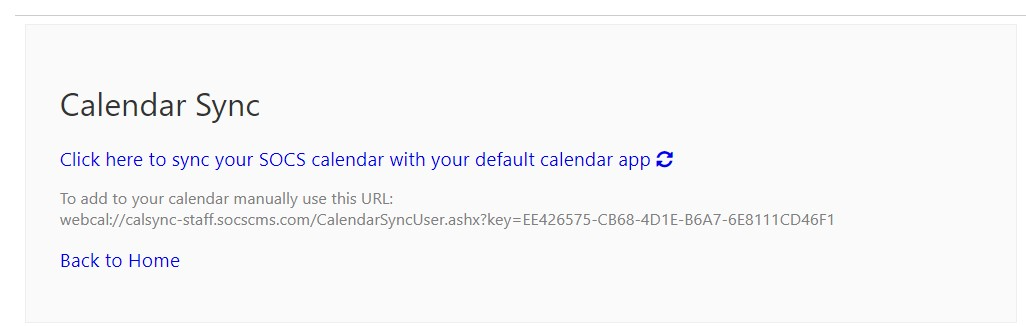
Click the link to sync the events into your calendar or manually add the feed using the URL on screen
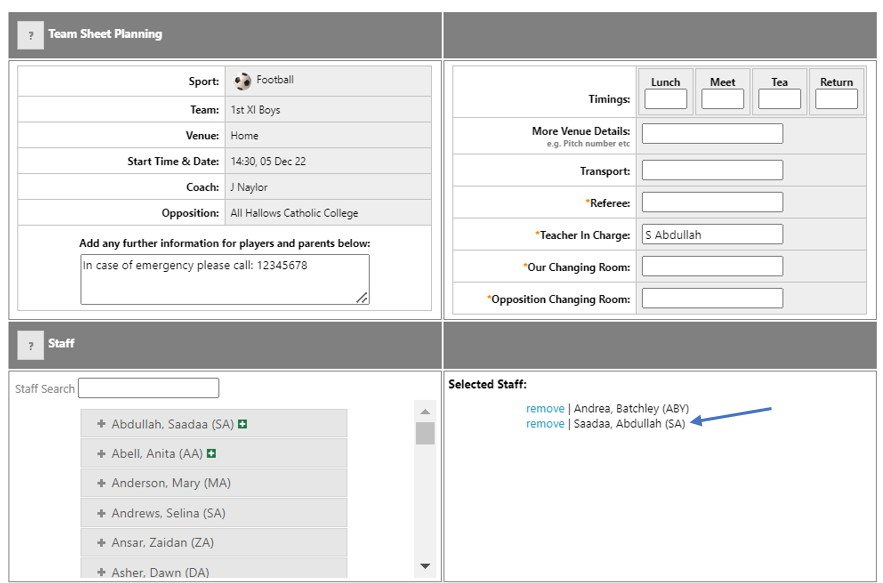
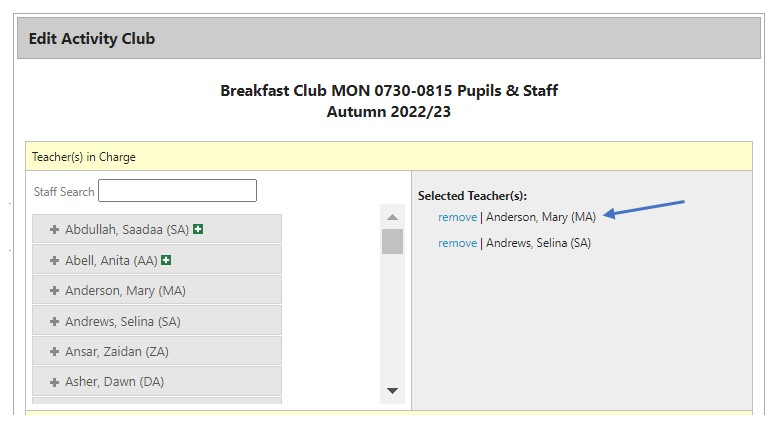
Important - for events to appear in the iCal feed, you must be added as a staff member to a team sheet and/or co-curricular club.
SOCS Sport (via Team Sheet Editor):
SOCS Co-curricular (via Active Activities > Activity Pupil/Staff Editor):
Was this article helpful?
That’s Great!
Thank you for your feedback
Sorry! We couldn't be helpful
Thank you for your feedback
Feedback sent
We appreciate your effort and will try to fix the article