Option 2
- Login to SOCS Co-curricular
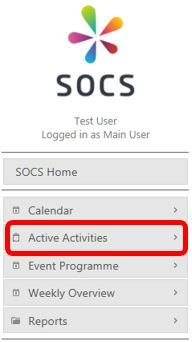
- Select Active Activities from the left-hand menu (see screenshot below):
- Using the drop-down menu, set the term to the term you are setting up and click Go.
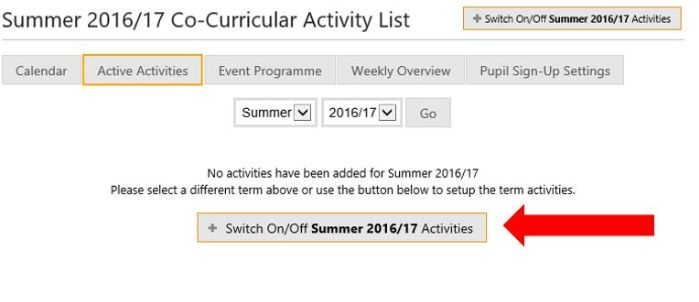
- Click the + Switch On/Off “selected term” Activities button (see red arrow on the screenshot below):
- Click on a category to expand it and see the activities within the category.
This option is useful if your Co-Curricular schedule is different from last term.
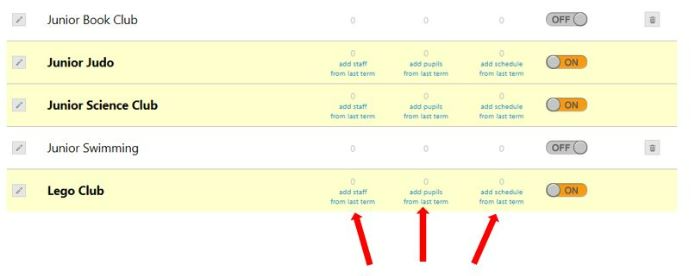
- Work your way down the list and switch activities on for next term. Once the activity is switched on you will be given the option to add staff, pupils and the schedule from last term if these details were entered (see red arrows below):
Was this article helpful?
That’s Great!
Thank you for your feedback
Sorry! We couldn't be helpful
Thank you for your feedback
Feedback sent
We appreciate your effort and will try to fix the article