If you need to cancel or postpone multiple fixtures in one go, follow the steps below.
Step 1
Log in to SOCS Sport
Step 2
Navigate to the Sports Programme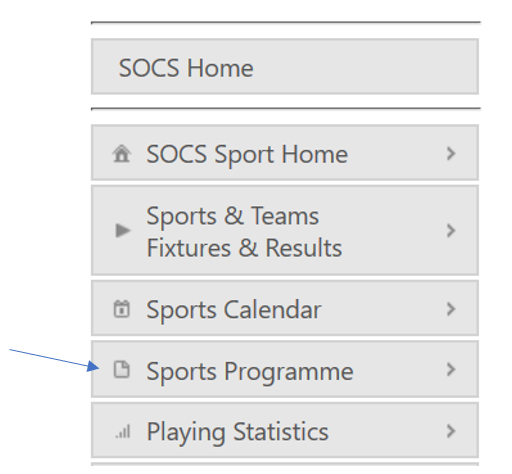
Step 3
Select"Cancel/Postpone Fixtures
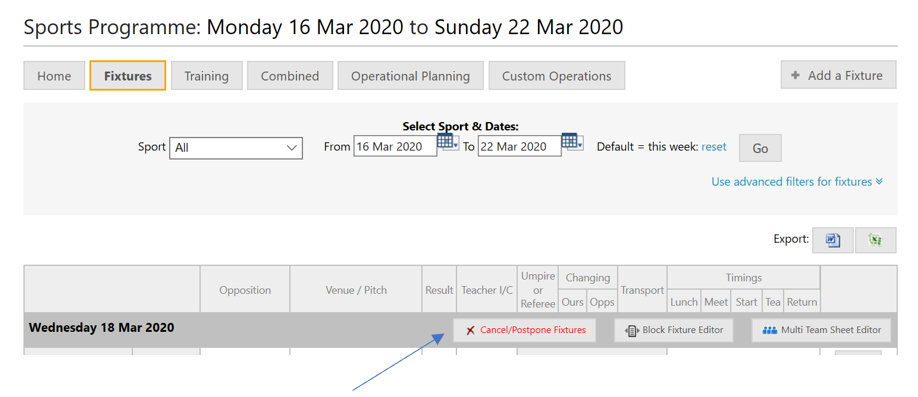
Step 4
Select the date, tick the fixtures, set the fixture status to cancelled or postponed and click "Update Fixtures".
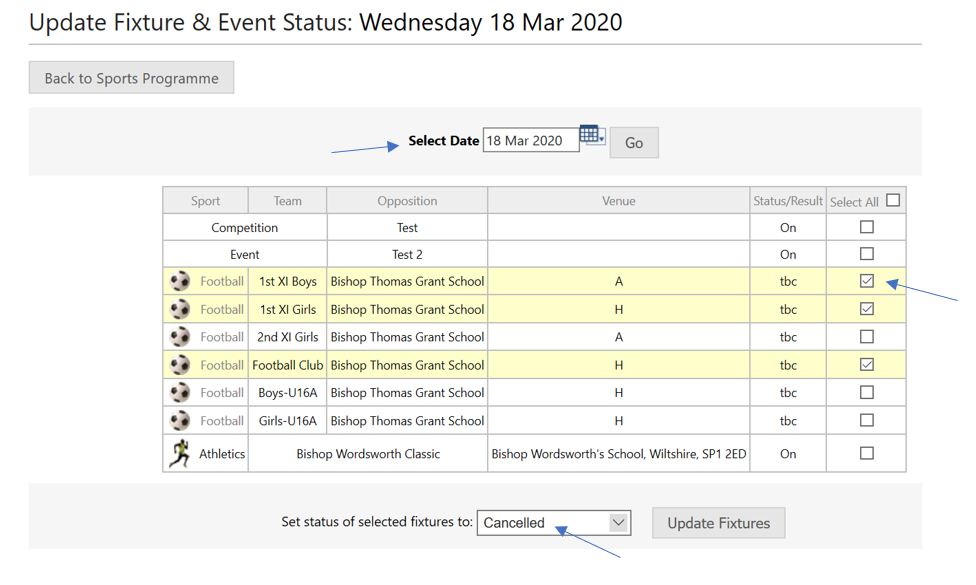
You can then edit the date of a fixture by using the Fixture & Result Editor.
Was this article helpful?
That’s Great!
Thank you for your feedback
Sorry! We couldn't be helpful
Thank you for your feedback
Feedback sent
We appreciate your effort and will try to fix the article