To access the live iCalendar feed follow these steps:
Step 1
Login to SOCS Sport
Step 2
Select SOCS sport
Step 3
Select Sports Calendar in the left-hand menu
Step 4
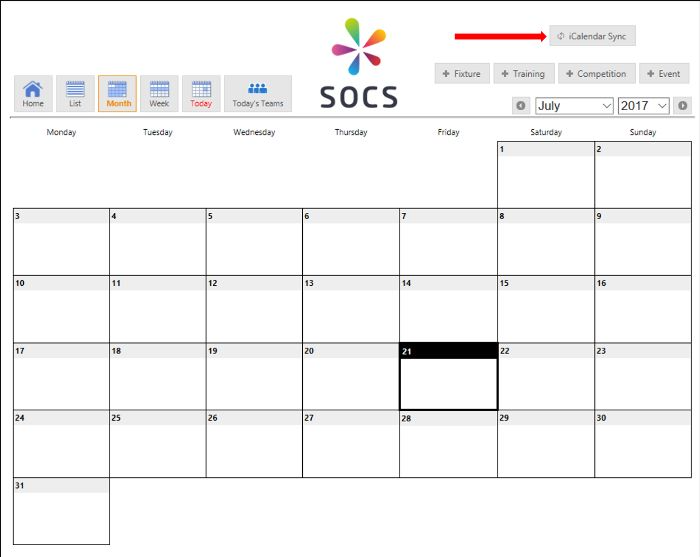
Select the iCalendar Sync button (top right of the page)
Step 5
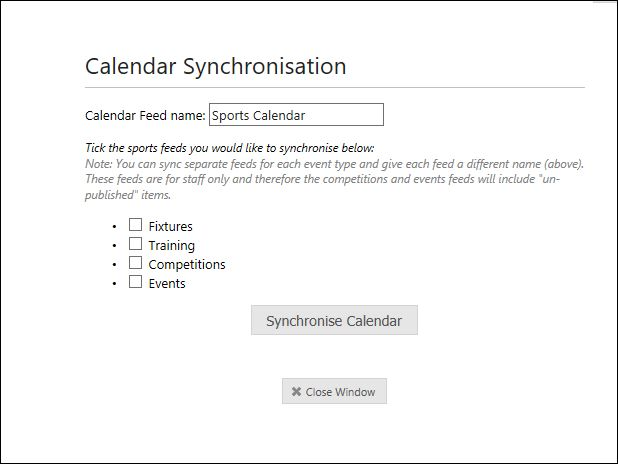
Then use the tick boxes to select your chosen filters before clicking the Synchronise Calendar button.
Was this article helpful?
That’s Great!
Thank you for your feedback
Sorry! We couldn't be helpful
Thank you for your feedback
Feedback sent
We appreciate your effort and will try to fix the article