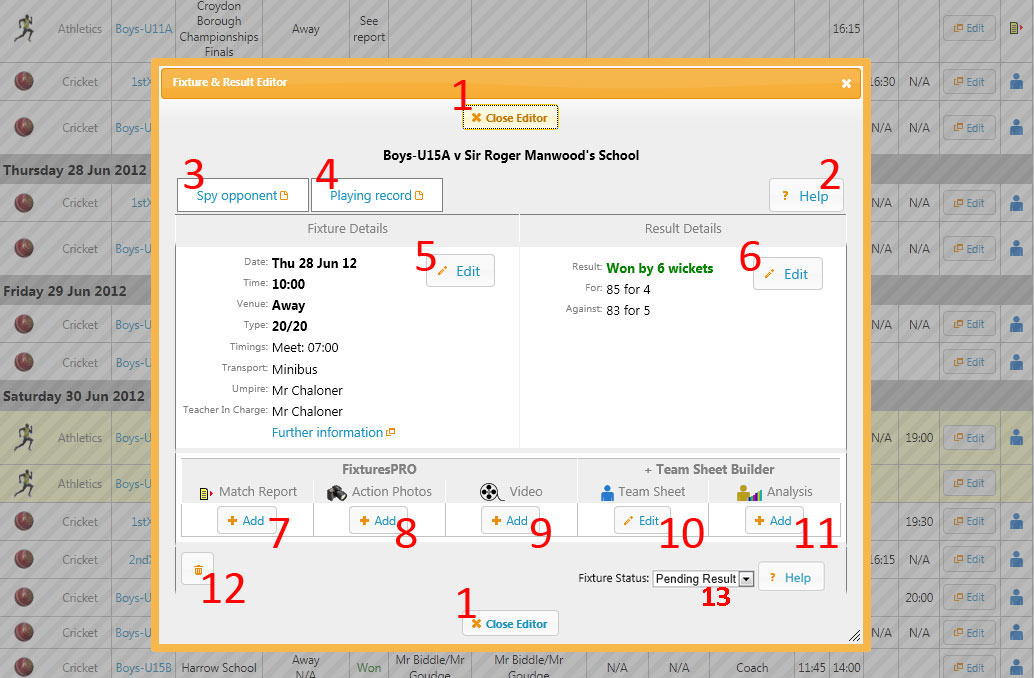
When a fixture is still in the future the fixture status can be set to Postponed or Cancelled using the Fixture Status drop down box (see 13 in the illustration below)
If the fixture has already been played or was abandoned or postponed on the day, it is possible to use the Result Details Edit button (button 6) and then force the Result using the drop down list to “Postponed” or “Cancelled” or “Withdrawn” or “Abandoned” etc.
Was this article helpful?
That’s Great!
Thank you for your feedback
Sorry! We couldn't be helpful
Thank you for your feedback
Feedback sent
We appreciate your effort and will try to fix the article