Follow the instructions below if using Method 1 when allocating pupils to SOCS Co-curricular clubs.
Use this method if staff members leading an activity want to manually add one or more pupils to a club
Step 1
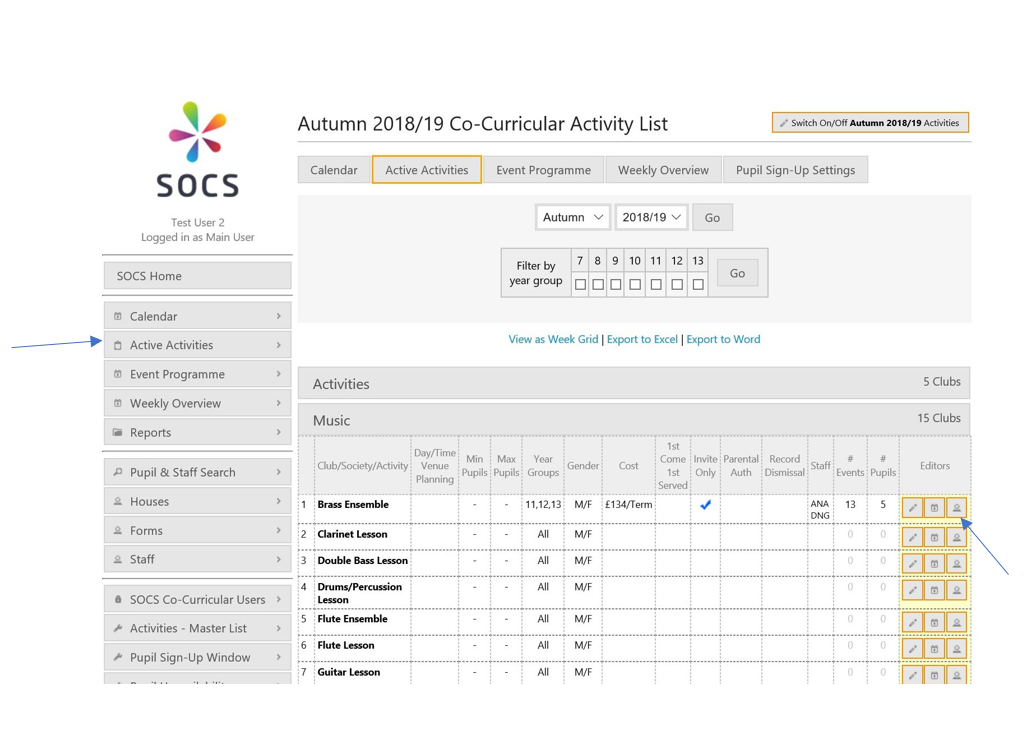
When logged in to SOCS Co-curricular, click the Active Activities tab on the left-hand side.
Step 2
Click on a category and then select the Edit pupils and staff button for a club.
Step 3
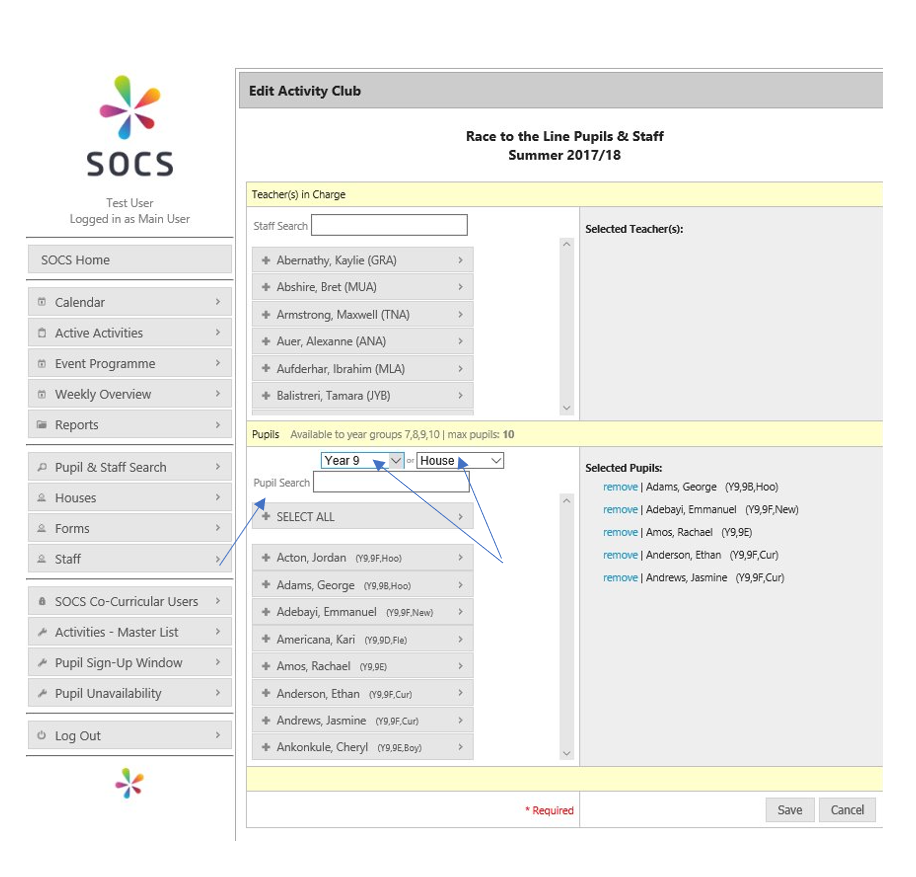
Select a year group or house and add the pupils to the activity. Alternatively, you can use the search function to search for pupils. Click on the pupil’s name to add them to the activity. Likewise, click “remove” to remove them from the activity.
Was this article helpful?
That’s Great!
Thank you for your feedback
Sorry! We couldn't be helpful
Thank you for your feedback
Feedback sent
We appreciate your effort and will try to fix the article