When you are setting up a club you have to decide whether the club always uses the same register, or whether the register is different each week.
If the club always uses the same register, then leave the rule that states “use the same pupils and staff for every event” ticked.
This will automatically add the same pupils to the register for every event scheduled for the club. If you ever add an extra session or recurring session to the club, the system will automatically add the students to these new sessions.
For example, if the rule is applied, parents/pupils will be able to add themselves to the entire schedule for the club during the sign-up window. They will click Add Activity and will be signed up to every session scheduled for the club.
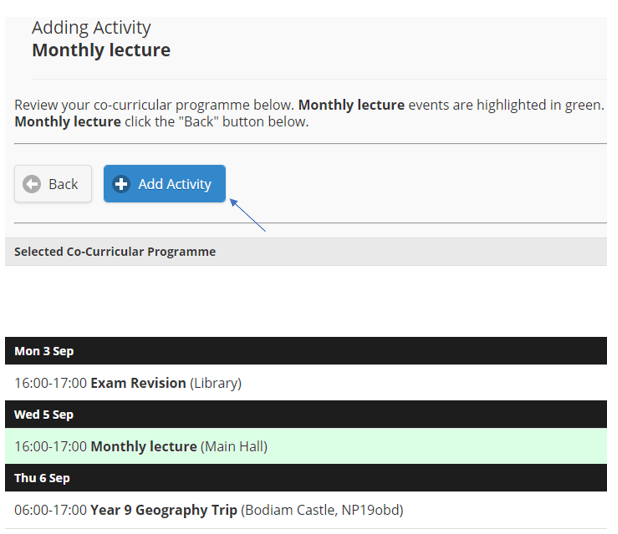
On the other hand, if the register will be different for every session, then untick this rule.
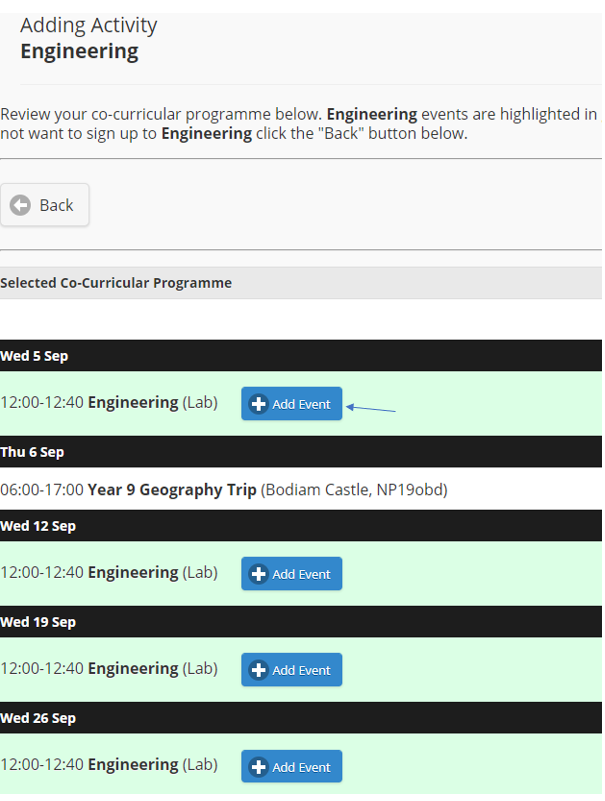
This will allow the staff, or the parents/pupils during a sign up, to sign up to individual sessions for the club, rather than adding themselves to every session. This is useful for drop in clinics, talks and lectures, optional clubs, flexi-boarding, Wrap-Care etc.
In this case, the ‘Add Activity’ button in the previous screenshot will no longer be available; instead the parents/pupils will need to click ‘Add Event’ next to the individual sessions they would like to attend.
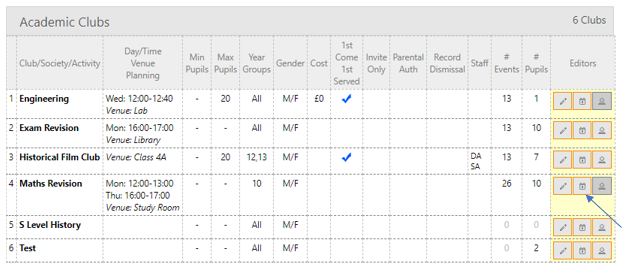
If this rule is left unticked and the club is also setup as Invite Only, staff will need to manually allocate students to the club registers. Instead of adding pupils to a club, you will need to add pupils to each individual event. You will no longer be able to add pupils to the club, therefore the ‘add pupils’ icon will turn dark grey and you will need to add pupils to each event, as outlined below.
Step 1
Navigate to Active Activities and click the calendar icon to view the clubs schedule.
Step 2
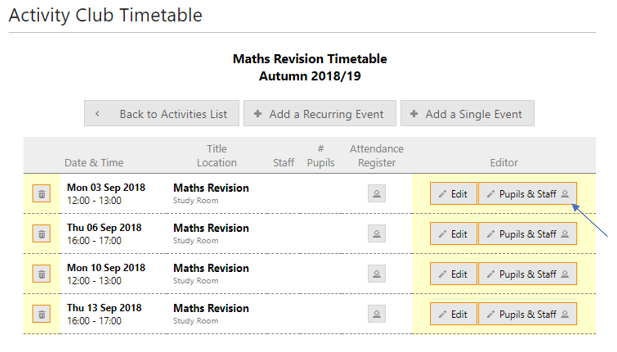
Click Pupils & Staff under Editors next to each session and add the pupils.
Was this article helpful?
That’s Great!
Thank you for your feedback
Sorry! We couldn't be helpful
Thank you for your feedback
Feedback sent
We appreciate your effort and will try to fix the article