To access the Mobile SOCS + Live Scores wagon wheel for cricket follow these steps:
Step 1
Login to your Mobile SOCS + Live Scores control panel on your tablet.
Notes:
- Wagon wheel scoring is not available on small screen mobile devices such as phones - but you can still use the time line to record every ball.
Wagon wheel scoring is not available on small screen devices, such as phones. However, you can still use the time line to record every ball.
Step 2
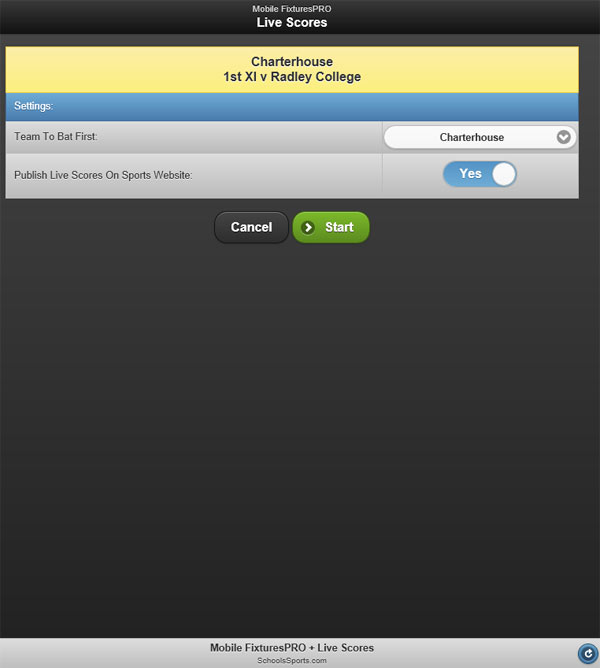
Navigate to the cricket fixture you want to record live and click the Live Scores button. The screen below will appear:
Step 3
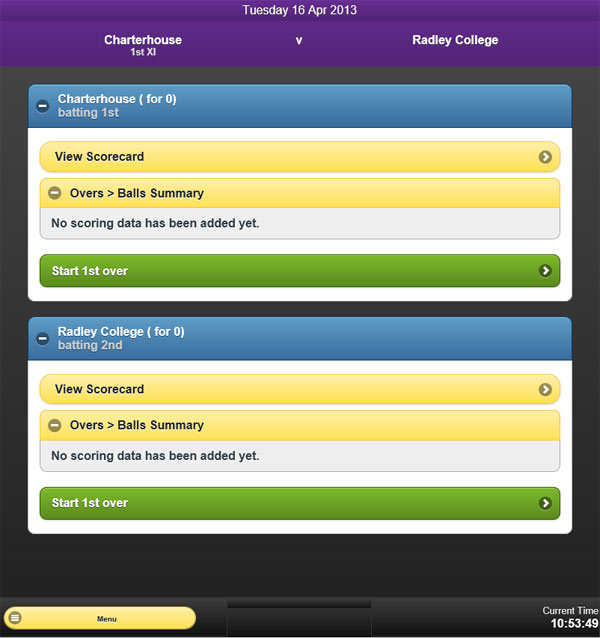
Select the team to bat first and whether you want to publish the Live Scores on your sports website. Then click the Start button. The screen below will appear:
Step 4
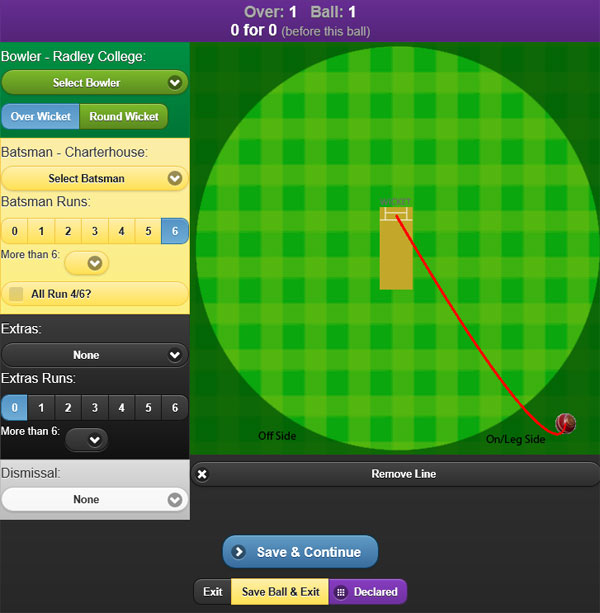
Click Start First Over. The screen below will appear where you can select the bowler and batsmen and record every ball and the fall of shot for every over - IT'S A SIX!!
Was this article helpful?
That’s Great!
Thank you for your feedback
Sorry! We couldn't be helpful
Thank you for your feedback
Feedback sent
We appreciate your effort and will try to fix the article