The Main Sport Contact appears on the home page of your school's sport website.
Individual Sport Contacts appear on the Sports Contacts page of the sport website.
To add new or to edit existing sport contacts follow these steps:
Step 1
Login to your SOCS control panel.
Step 2
From the main left hand menu select School Settings
Step 3
Select Contacts
Step 4
To add new or edit existing contacts click the appropriate button indicated by the red arrow in the illustration below.
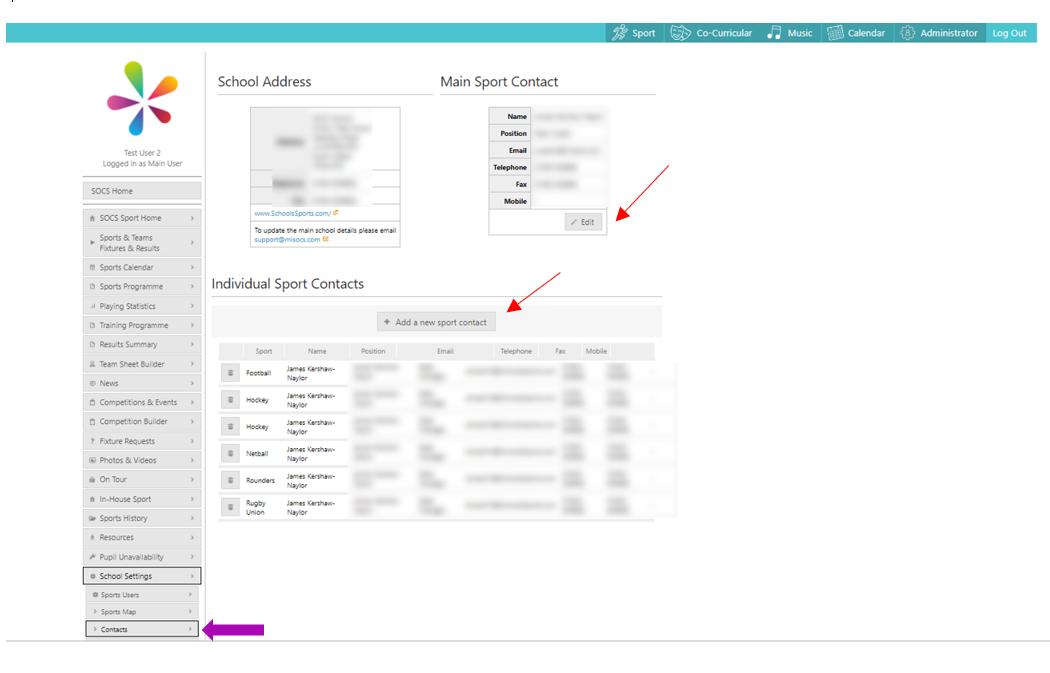
If an update is needed for school's main address, please contact support@socs.tech and we will assist with this change.
Was this article helpful?
That’s Great!
Thank you for your feedback
Sorry! We couldn't be helpful
Thank you for your feedback
Feedback sent
We appreciate your effort and will try to fix the article